
Updating Your Tech Stack: Migrating from PivotTable.js to alternatives
In this article
We compare PivotTable.js and WebDataRocks, highlighting their key differences to help you choose the right JavaScript pivot table solution.
If you’re working with data visualization, you probably have heard about PivotTable.js. It’s a lightweight, open-source JavaScript Pivot Table written by Nicola Kruchten and has been a well-known tool in data visualization for a long time.
You can explore the library yourself on its official GitHub repository, where the full source code is available, or check out a quick demo on YouTube recorded by the author to see how it works in practice.
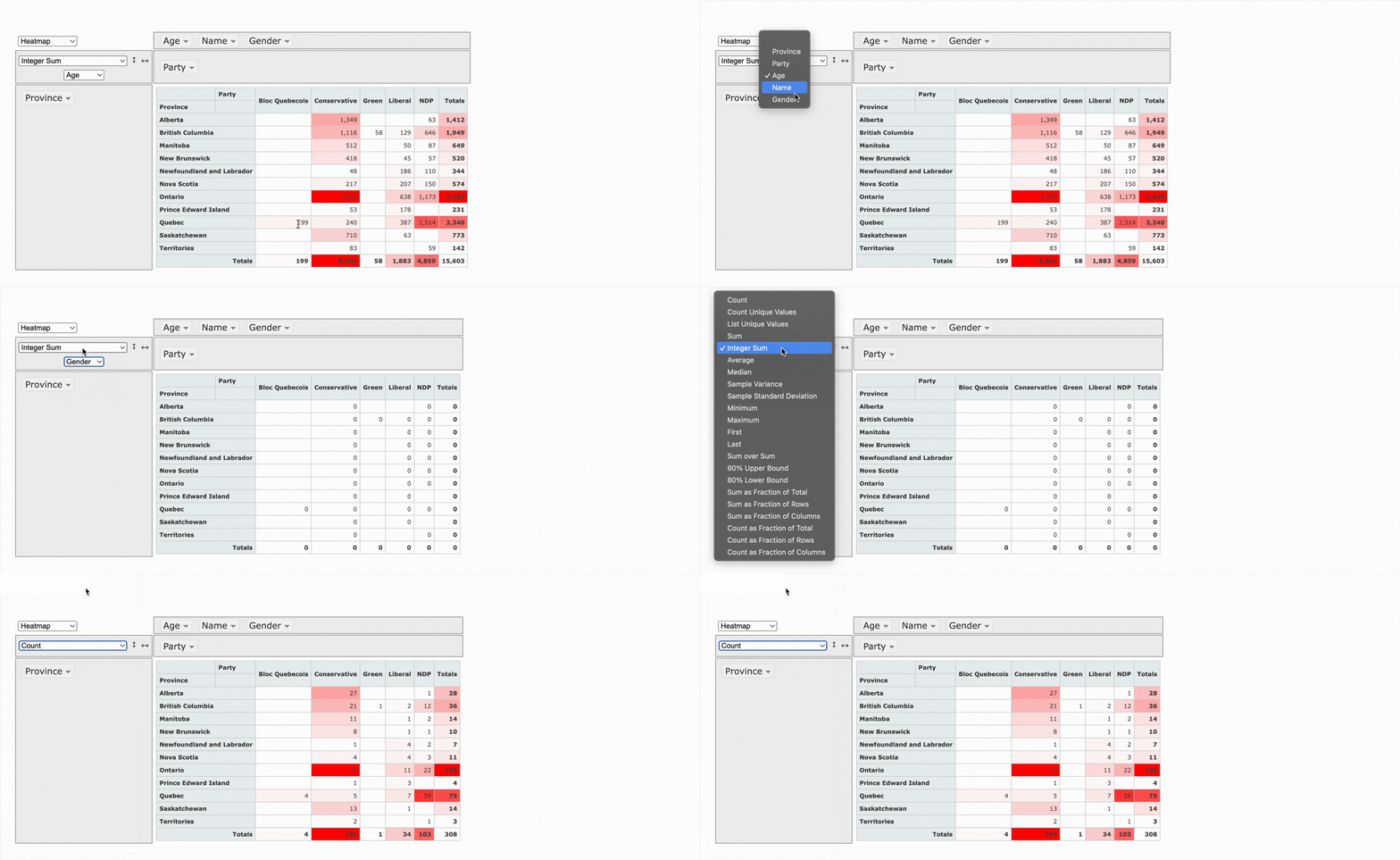
What makes it stand out is its openness. Because it’s fully open source, you can get free access to the code and full control. It works quite well when you want to build a custom solution from the ground up.
There’s also even a React version called react-pivottable and maintained by the same author, which makes integration into modern apps a bit easier.
At the same time, the library shows its age, as it was built in 2012. It wasn’t updated at all recently, and you can feel that in the overall experience.
This is where WebDataRocks pivot grid component takes a different direction.
It gives you a complete, polished solution out of the box. The built-in UI is already there; it looks modern, and you can integrate it into your project much faster without building everything from scratch. But even if you want to add more customization, you can also achieve it!
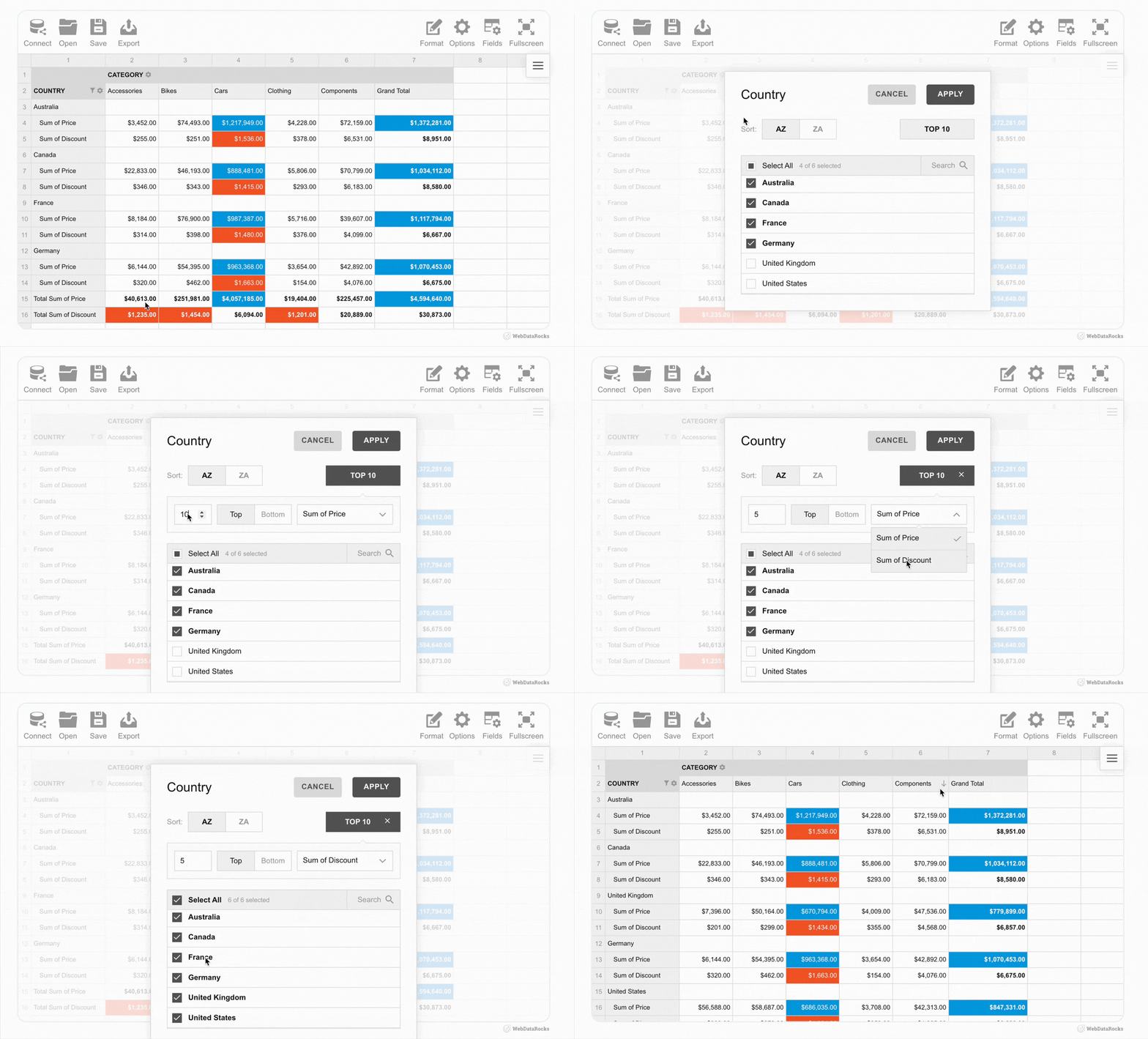
As examples, we’ve got lots of showcases that demonstrate how WebDataRocks can be used in different ways: from complex analytical dashboards to daily usage habits trackers.
- HR Analytics with WebDataRocks
- Marketing Campaigns Analysis
- WebDataRocks analytical sport Dashboard
- WebDataRocks Bento Styles Dashboard
- Santa’s Letter Management System
Even just looking at these titles, you can already see how diverse the use cases are and, for sure, it’s not even near the limit of its possibilities.
In reality, it’s a very flexible data visualization component that can be used across many areas and industries, including finance, analytics, audit, logistics, and more. Also, we’ve got some practical examples about how to use it in marketing, sales, industry, and HR analytics. Some of the more “fun” demos are just there to show how flexible it is and how easily it can work with very different kinds of data.
In short, WebDataRocks works as a universal tool for handling data. You can structure, filter, and display it however you need. That’s why it’s useful both for serious, data-heavy projects and for more creative use cases.
What people say about PivotTable.js and WebDataRocks
PivotTable.js struggles with large datasets, which may be problematic for users. There’s no information about its limits in official docs, but some users on StackOverflow inform that while working with 2000 rows, there’s a slight delay, but with 5000 rows, it completely freezes.
On the other hand, WebDataRocks handles larger datasets (the limit is 1 MB, but it’s actually enough for most use cases) more comfortably and continues to receive updates, which makes it feel better aligned with current development needs. Also, WebDataRocks appears in numerous Reddit discussions. You may notice that people there describe it as a feature-rich component.
Flexmonster as an alternative to PivotTable.js & WebDataRocks
Even though WebDataRocks isn’t open source, it’s still completely free. Unlike many similar tools that are limited to non-profit or personal use, you’re welcome to use it in commercial projects and real business applications as well. And if you ever need something more advanced, there’s also Flexmonster – a commercial product created by the same team. It’s designed to handle even larger datasets, advanced analytics, and enterprise-level requirements.
For example, it has better performance with really large datasets, including built-in support for server-side processing. This means you can work with millions of records without loading everything into the browser, which isn’t really possible with lighter tools.
Another big advantage is the wide range of integrations. Flexmonster allows connecting to more advanced data sources, such as backend databases, and supports server-side technologies.
Also, it supports many popular frameworks such as React, Angular, and Vue.js (which are also supported by WebDataRocks), but it doesn’t stop there. It also works with less common or newer tools like Svelte, Flutter, Blazor, Nuxt, Next.js, and much more. This makes it a very flexible choice for real-world applications.
Wrap-up
In conclusion, it really depends on what you really need. PivotTable.js is great when you value openness and want full control, especially for smaller projects. But when the goal is to move faster, work with more data, and get a clean interface without extra effort, WebDataRocks feels like a better choice.
That’s why it works so well as an alternative – not because one is completely better than another, but because they’re designed for slightly different tasks.
What is a web pivot table?
A web pivot table is a data visualization component used in web applications to summarize, analyze, and explore information directly in the browser.
It allows users to dynamically group, filter, sort, and aggregate data. This makes it easier to identify patterns, compare values, and build reports without writing complex queries.
What is the difference between WebDataRocks and Flexmonster?
WebDataRocks and Flexmonster are created by the same team but serve different needs.
<ul>
<li>WebDataRocks is completely free and works well for small to medium datasets. It’s ideal for dashboards, internal tools, and typical business use cases.</li>
<li>Flexmonster is a commercial solution designed for enterprise-level applications. It can handle very large datasets, server-side processing, and more advanced integrations.</li>
</ul>
If your project grows or requires more scalability, Flexmonster can be a great next step.
Is open-source better than free software?
Not always. Open-source gives full access to the code, which is great for flexibility and customization. However, free closed-source tools can offer a better out-of-the-box experience and support, be more polished, and be easier to integrate.
Can WebDataRocks be integrated into an existing dashboard?
Yes. WebDataRocks is a flexible component that can be used on a web page or dashboard. Also, it easily integrates with other visualization libraries.
For example, it can be combined with popular charting libraries such as amCharts, Highcharts, Google Charts, and more to create interactive dashboards where they both work smoothly together.
You can also find practical integration examples in our blog:
<ul>
<li>Turn Your Data Into a Halloween Treat with WebDataRocks </li>
<li>Tutorial: How to create a dashboard with WebDataRocks and AnyChart</li>
<li>Data visualization with WebDataRocks & Chart.js: create a dashboard in 5 min</li>
</ul>